

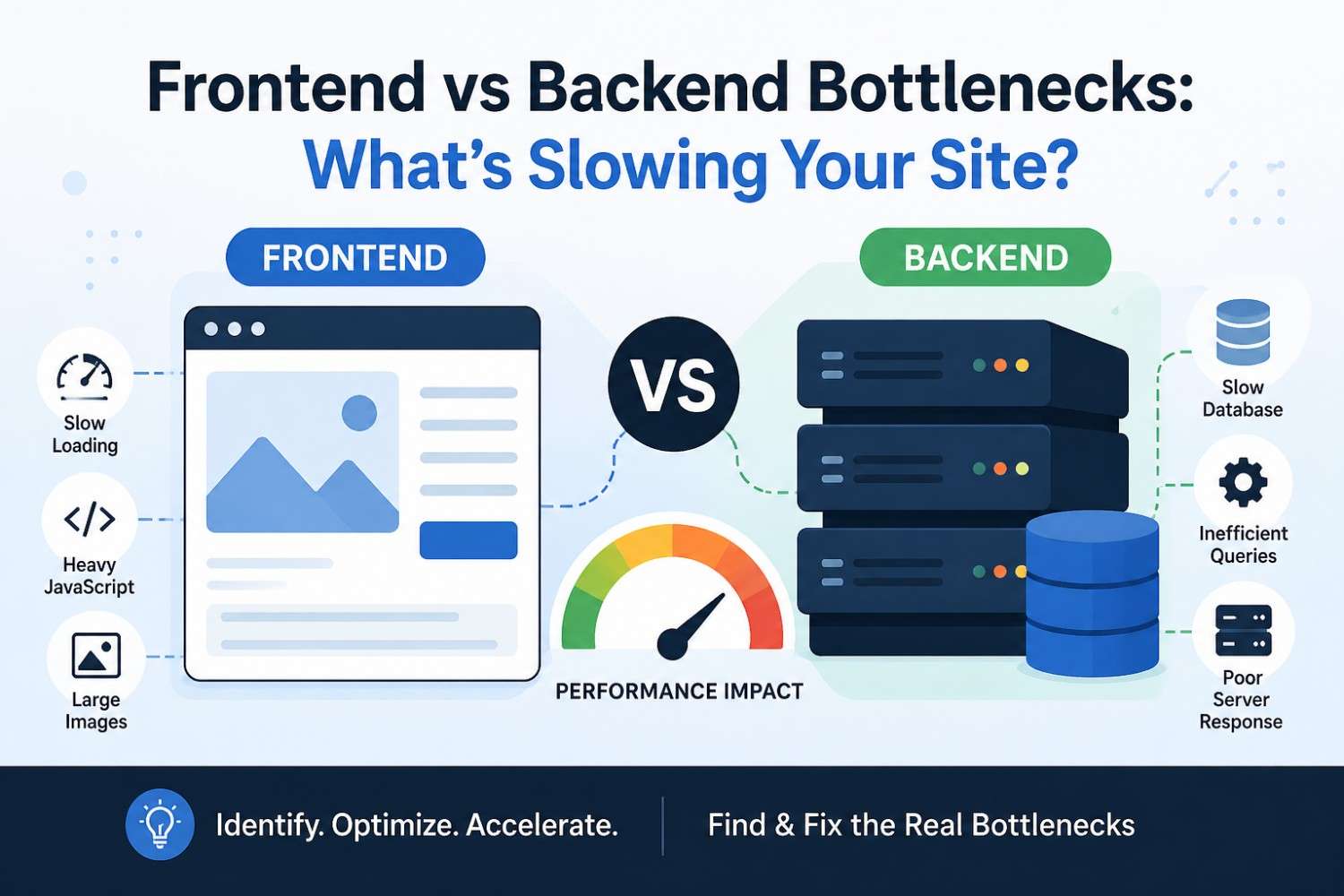
The user experience of a website suffers from slow loading times because it results in fewer visitors who convert and it harms the website’s ability to appear in search results. The site operates slow when visitors experience problems which can occur because of two separate issues that exist at the frontend and backend parts of the system.
Website owners together with developers spend their time optimizing the wrong area because they lack knowledge about their system’s actual bottleneck location. The guide shows you how to differentiate between frontend and backend bottlenecks while learning their identification methods and performance enhancement techniques. The post shows you all potential site issues which need prioritization for fixing.
What Is a Website Bottleneck?
The bottleneck restricts the maximum speed which your system can operate at while performing its functions. The user experience of a website remains affected by one slow component, which diminishes the performance of all other optimized website parts.
Example:
- The frontend operates slowly because the server delivers content quickly but the system requires a large amount of JavaScript to be processed.
- Backend performance drops because the optimized frontend system requires database queries, which take too long to execute.
The task requires identification of the system component which functions with the least strength.
Understanding Frontend Bottlenecks
The browser interface which users directly interact with, experiences frontend bottlenecks.
Common Frontend Performance Problems
1. Large Images
Uncompressed images, which occupy large file sizes, stand as the main reason for websites experiencing extended loading durations.
Example:
Upload a 5 MB hero image instead of using a compressed WebP version.
The image compression process needs to be completed by using modern formats, which include WebP and AVIF, together with implementing lazy loading of images that are not part of the immediate viewport.
2. Too Much JavaScript
The page takes longer to load because of the JavaScript bundles, which contain excessive weight.
Example:
Unwanted plugins and libraries become necessary for operation, which leads to their installation on every page.
- The code uses a massive library, which creates an excessive payload for the script to download.
- The fix requires the removal of all scripts which are not in use together with the implementation of code splitting and the deferral of all
- JavaScript that does not directly relate to primary functions.
3. Render-Blocking CSS
The large size of CSS files results in delays for displaying all visible elements on a web page.
The solution requires the CSS files to be compressed while the vital CSS should be embedded and all non-critical styles should be delayed for future loading.
4. Poor Mobile Optimization
The site operates well on desktop systems but it runs at reduced speed on mobile devices.
The solution requires implementation of responsive design together with the inclusion of touch-friendly user interfaces and the reduction of asset sizes.
Backend bottlenecks happen on the server, database, or API side.
Common Backend Performance Problems
1. Slow Database Queries
Poorly written queries can slow every page load.
Example:
The user record can be retrieved through the query
SELECT * FROM users WHERE city = 'Colombo';.
The absence of an index on the city column causes the query to experience performance issues when handled by extensive tables.
The solution requires the implementation of indexing while all join operations need to be optimized, and all redundant queries should be minimized.
2. Weak Hosting or Server Resources
The system experiences reduced performance because of limitations in memory and CPU power, which occur when multiple users access shared hosting.
The solution needs system capacity upgrades which should involve transitioning to virtual private server hosting or cloud-based infrastructure while system monitoring must track CPU and RAM consumption.
3. Too Many API Calls
A page that needs several API connections will experience cumulative delays.
Example:
- Payment API
- Analytics API
- Product API
- Chat API
The solution requires response data to be cached, while multiple request sources need to be merged, and all asynchronous loading should be implemented wherever it is feasible.
4. No Caching Strategy
The absence of caching causes every database request to directly access server logic.
The solution requires implementation of page caching together with object caching and CDN caching.
Frontend vs Backend: How to Tell Which One Is Slowing Your Site
Use these simple tests.
Test 1: Does the server produces fast responses.
The backend system suffers from problems when the TTFB value exceeds its normal time limit.
Metric:
TTFB (Time to First Byte)
The TTFB value stands high.
Personnel needs to evaluate the server status together with hosting, while all queries and performance testing should continue.
Test 2: Does the page load but feel slow afterward?
The content appears but the system takes time to respond.
The problem usually rests with the frontend.
Examples:
- Slow menu opening
- Delayed animations
- Buttons freezing
Test 3: Use Browser Dev Tools
You must start Chrome DevTools to examine these three areas:
- Network tab
- Performance tab
- Console errors
This helps to discover:
- Large assets
- Slow requests
- JavaScript blocking rendering
Real-World Scenarios
Scenario 1: E-commerce Website
Problem:
Homepage takes 7 seconds.
The cause of the slow loading time originates from the use of excessive tracking scripts and the presence of enormous banner images.
The tracking scripts together with the huge banner images create a frontend bottleneck.
Scenario 2: Dashboard App
Problem:
Login takes 5 seconds.
The user experience suffers from two issues: the delayed user query and the excessive authentication requirements.
The user experience suffers from two issues: the delayed user query and the excessive authentication requirements.
Scenario 3: Blog Website
Problem:
First page loads slowly, second visit is fast.
The website suffered from initial caching problems which stopped it from functioning properly.
The website suffered from initial caching problems which stopped it from functioning properly.
Key Performance Metrics to Watch
Frontend Metrics
- The Largest Contentful Paint (LCP) metric
- The First Input Delay (FID) metric
- The Cumulative Layout Shift (CLS) metric
Backend Metrics
- Server response time
- Database query speed
- API latency
How to Fix Frontend Bottlenecks
Quick Checklist
The process requires image compression and CSS and JS files to be minimized, while lazy loading should be applied to all content and all libraries that are not needed must be eliminated.
How to Fix Backend Bottlenecks
Quick Checklist
The process requires optimization of database queries and indexing addition and caching implementation and hosting upgrade and the establishment of background task queuing and API dependency reduction.
Best Tools for Diagnosing Speed Issues
The following tools need to be used regularly:
- Google PageSpeed Insights
- GTmetrix
- Chrome DevTools
- New Relic
The tools reveal if frontend problems or backend issues prevail over the other.
Frontend vs Backend: Which Is More Important?
Both hold equal significance.
A fast frontend with a slow backend still feels slow.
A fast backend with a bloated frontend also feels slow.
The best results come from joint optimization of both system parts.
Smart Optimization Strategy
Step 1:
You need to conduct measurements before proceeding with any adjustments.
Step 2:
The user should proceed to fix the primary bottleneck that exists in the system.
Step 3:
The user must test all systems after every update.
Step 4:
You need to monitor the system at all times.
Example Optimization Flow
You can improve the speed of your website significantly by addressing five areas: image size, scripts, database indexes, caching, and hosting. This general method is not the only way to achieve results, but it has proven to be one of the most effective.
There are many mistakes you can make when optimizing your website’s performance that may hinder your success:
- Guessing instead of measuring
- Optimizing small issues before the larger ones
- Ignoring mobile users
- Using too many plugins
- Not reviewing logs or usage data regularly
Website speed problems typically occur from either frontend (browser-related) performance issues or backend (server-related) performance issues.
Key Takeaways:
- Frontend performance problems include large image file sizes, slow loading of javascript and css, and poor performance when displayed on mobile devices.
- Backend performance problems include database query times, poor hosting performance, API issues, and poor caching performance.
- Always measure prior to optimizing.
- Fix the biggest performance-related issue first.
Would you like to speed up your website today?
- Run Google PageSpeed Insights to test your current speed.
- Determine if your current speed problem is due to frontend or backend issues.
- Fix the largest issue that is negatively impacting your website speed first this week.




