

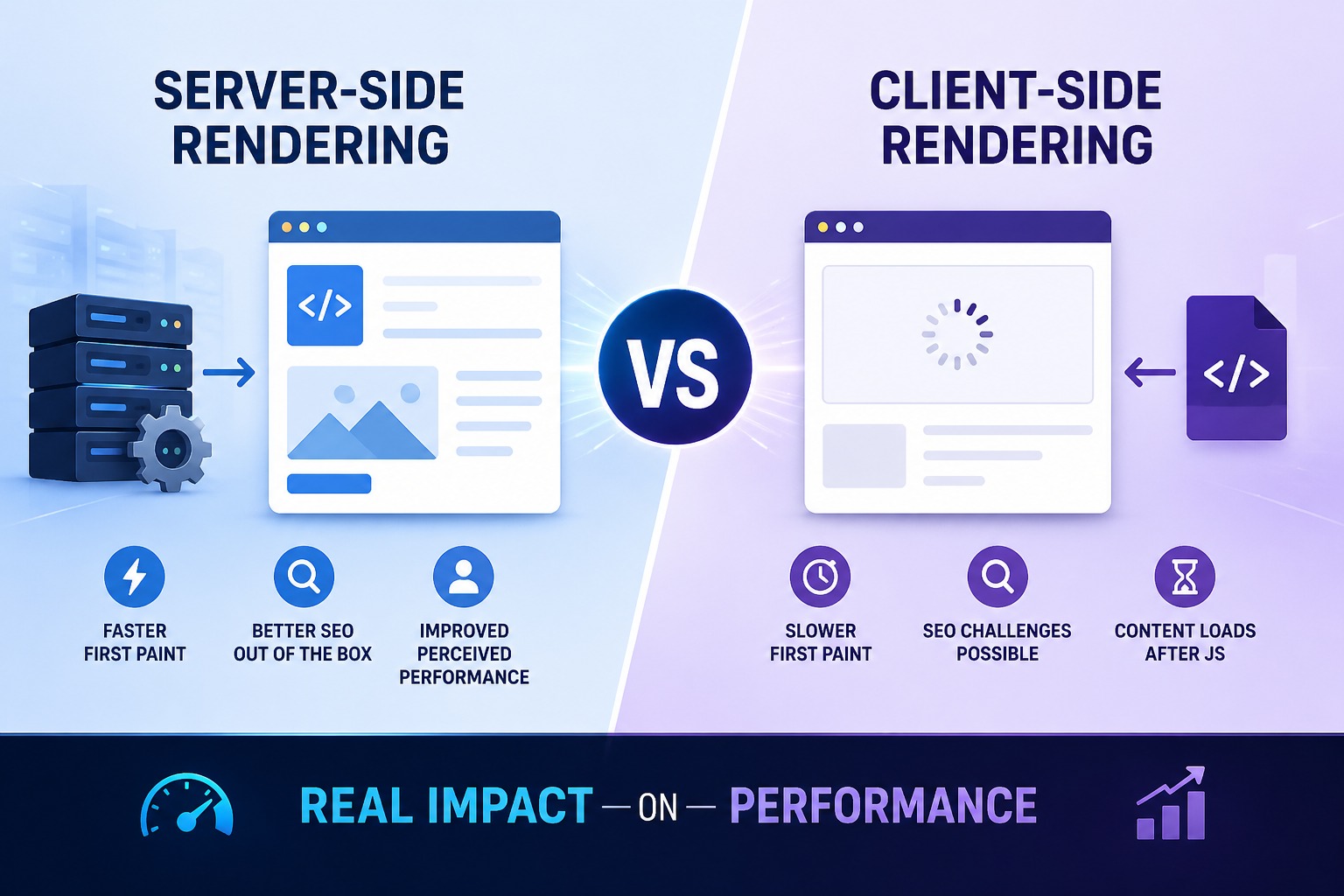
The choice between Server-Side Rendering (SSR) and Client-Side Rendering (CSR) represents a critical technical choice when creating contemporary websites or web applications. Both approaches affect speed, SEO, user experience, and scalability.
The selection of a rendering method by developers occurs through trend following instead of actual performance requirements. The truth is that SSR and CSR each have strengths and weaknesses depending on your project goals.
The guide shows you how Server-Side Rendering vs Client-Side Rendering affects your website performance by showing you their operations and their advantages and disadvantages to help you choose the best option for your website in 2026.
What Is Server-Side Rendering (SSR)?
The server generates complete HTML content which it sends to the browser for display.
How It Works
1. User visits a page
2. Server processes the request
3. Server sends ready-to-view HTML
4. Browser displays content quickly
Example
The most common SSR frameworks include:
* Next.js
* Nuxt.js
* Traditional PHP websites
Simple SSR Example
<?php
echo "<h1>Welcome to Our Website</h1>";
echo "<p>Rendered on the server.</p>";
?>
What Is Client-Side Rendering (CSR)?
The browser first obtains JavaScript content which it uses to create the complete page.
How It Works
1. User opens page
2. Browser loads HTML shell
3. JavaScript runs
4. Content is rendered in browser
Example
The most common CSR frameworks include:
* React
* Vue.js
* Angular
Simple CSR Example
<div id="app"></div>

<script>
document.getElementById("app").innerHTML =
"<h1>Welcome</h1><p>Rendered in browser</p>";
</script>
Real Performance Impact: SSR vs CSR
1. Initial Page Load Speed
SSR Wins for First Load
The browser delivers preconstructed HTML content which enables users to access information at an earlier time.
CSR Slower on First Load
The browser must download JavaScript before showing content.
The best option for:
* Landing pages
* Blogs
* E-commerce product pages
2. Navigation Between Pages
CSR Wins After First Load
Once JavaScript is loaded, page transitions feel fast and app-like.
SSR Can Reload More Often
Traditional SSR may request the server again on navigation.
The best option for:
* Dashboards
* Web apps
* Admin panels
3. SEO Performance
SSR Strong Advantage
Search engines can crawl ready HTML content easily.
CSR Can Be Risky
Modern search engines can render JavaScript, but SSR remains more reliable.
The best option for:
* Blog websites
* Business websites
* Marketing pages
4. Server Load
SSR Uses More Server Resources
Every request may require server rendering.
CSR Shifts Work to Browser
The user’s device handles rendering.
The approach works better for applications with high traffic that use optimized APIs for their operations.
5. User Experience on Slow Devices
SSR Often Better
Low-end devices may struggle with heavy JavaScript.
CSR Can Lag
Large bundles can freeze slower phones.
SSR vs CSR Comparison Table
| Feature | SSR | CSR |
|---|---|---|
| First Load Speed | Excellent | Moderate |
| SEO | Excellent | Moderate |
| App Navigation | Good | Excellent |
| Server Usage | Higher | Lower |
| Mobile Performance | Strong | Depends on JS size |
| Best Use Case | Content sites | Interactive apps |
Real-World Examples
Use SSR For:
* News websites
* Corporate websites
* Online stores
* Blogs
Example: Next.js product pages
Use CSR For:
* CRM dashboards
* Project management apps
* Chat applications
* Analytics tools
Example: React admin panel
Hybrid Approach: Best of Both Worlds
Modern frameworks combine SSR + CSR.
Example: Next.js
* The homepage uses server-side rendering.
* The dashboard uses client-side rendering.
* Static pages use static site generation.
Both speed and flexibility result from this method.
SEO Benefits of SSR
If search engine results are important for your business, SSR provides companies with superior performance because of these advantages:
* Faster visible content
* Better crawlability
* Stronger Core Web Vitals potential
The tools you should use include:
* Google PageSpeed Insights
* Google Search Console
Common Mistakes to Avoid
1. Using CSR for SEO-Heavy Websites
If your business depends on organic traffic, pure CSR may hurt discoverability.
2. Using SSR for Highly Interactive Apps
If users spend hours inside the app, CSR may feel smoother.
3. Ignoring Bundle Size
Even CSR apps can perform well if JavaScript is optimized.
4. Ignoring Caching
The application achieves SSR performance gains through the combination of CDN and page caching.
Which One Should You Choose in 2026?
Choose SSR If You Need:
* Better SEO
* Faster first impressions
* Public-facing pages
* Better mobile accessibility
Choose CSR If You Need:
* Rich interactions
* SPA-like experience
* Internal tools
* Dynamic dashboards
Choose Hybrid If You Need Both
The modern business environment requires both marketing pages and logged-in applications.
Quick Decision Guide
Blog Website?
SSR
SaaS Dashboard?
CSR
E-commerce Site?
SSR + CSR hybrid
Startup Website + User Portal?
Hybrid with Next.js
The real performance impact of Server-Side Rendering vs Client-Side Rendering depends on your goals.
Key Takeaways:
* SSR is better for SEO and first-page load speed
* CSR is better for rich app experiences after load
* Hybrid rendering gives the best balance
* Choose based on users, not trends
Do you want to start a new website or make improvements to your existing site?
- Audit your current site performance
- Identify whether SEO or interactivity matters more
- Choose the right rendering strategy early




