

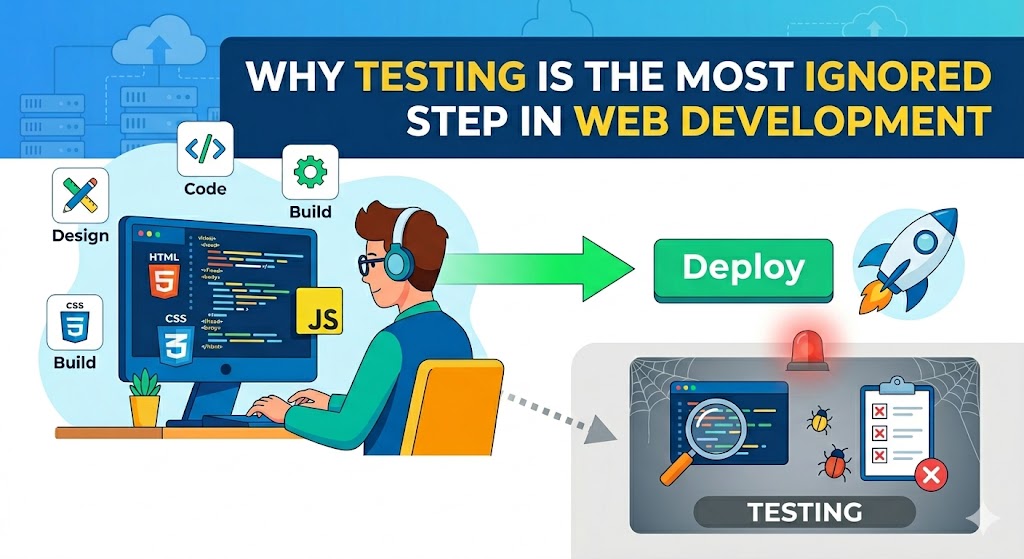
Developers enjoy working on new features. Clients like to see things happening. Companies would rather have their websites online quickly.
However, there’s one crucial process that may be overlooked or skipped completely:
👉 Testing.
This guide will help you understand why testing is one of the most neglected aspects of web development, the negative effects it brings, and the benefits of implementing a solid testing strategy for your projects.
What Does “Testing” Actually Mean in Web Development?
Testing isn’t just checking if a button works.
A proper testing process includes:
- Functionality testing
- Mobile responsiveness testing
- Browser compatibility testing
- Performance testing
- Security testing
- User experience testing
* The goal is simple: find problems before users do.
Why Testing Gets Ignored So Often
1. Tight Deadlines
Projects are usually rushed near launch.
* Testing becomes “something we’ll do later.”
2. Clients Prioritize Features Over Stability
Many clients focus on:
- New features
- Design updates
- Faster launch dates
Instead of:
- Reliability
- Quality assurance
3. Developers Assume Things Work
A feature may work locally—but fail on:
- Different devices
- Older browsers
- Slower internet connections
* Assumptions create bugs.
The Real Cost of Skipping Testing
Poor testing creates:
- Broken forms
- Slow websites
- Security vulnerabilities
- Lost leads and sales
Example:
A checkout bug on mobile can quietly destroy conversions for weeks before anyone notices.
* One missed issue can cost thousands.
Step 1: Start With Functional Testing
Test every important interaction.
Check:
- Forms
- Navigation
- Buttons
- Checkout flows
- Login systems
Example:
if (!email.includes("@")) {
  alert("Please enter a valid email");
}
* Small validation checks prevent user frustration.
Step 2: Test on Real Mobile Devices
A site looking good on desktop means nothing if mobile UX breaks.
Always test:
- iPhone
- Android devices
- Tablets
* Mobile traffic now dominates most websites.
Step 3: Check Browser Compatibility
Your site may behave differently across browsers.
Test on:
- Chrome
- Safari
- Firefox
- Edge
* CSS and JavaScript issues often appear here.
Step 4: Performance Testing Matters More Than Ever
Fast websites convert better.
Test:
- Load speed
- Core Web Vitals
- Server response times
Example:
<img src="hero-image.webp" loading="lazy" alt="optimized image">
* Performance optimization starts during testing—not after launch.
Step 5: Test Forms Carefully
Forms are where money happens.
Common issues:
- Emails not sending
- Broken validation
- Spam submissions
* One broken form can mean zero leads.
Step 6: Test User Experience (UX)
Technical functionality alone isn’t enough.
Ask:
- Is navigation intuitive?
- Can users find key information quickly?
- Are CTAs visible?
*Usability directly affects conversions.
Step 7: Don’t Ignore Security Testing
Even small websites get attacked.
Test:
- Login protection
- File uploads
- Form vulnerabilities
* Security issues are easier to prevent than recover from.
Real-World Example
Before Proper Testing:
- Mobile menu broken
- Contact forms failing
- Slow checkout experience
After Testing:
- Improved usability
- Faster performance
- Higher conversion rates
* Testing often reveals problems businesses never knew existed.
Why Manual Testing Still Matters
Automated tools help—but human testing is still essential.
Humans notice:
- Confusing layouts
- Frustrating UX
- Poor readability
- Unexpected behavior
* Real users don’t browse like automated tools.
Common Testing Mistakes
1. Only Testing on Desktop
Mobile users suffer most from poor testing.
2. Testing Only Before Launch
Testing should happen throughout development.
3. Ignoring Performance Until the End
Speed optimization becomes harder later.
4. Assuming Plugins Always Work Together
Plugin conflicts are extremely common.
The Best Developers Test Constantly
Experienced developers understand:
* Writing code is only half the job.
The other half is:
- Debugging
- Optimizing
- Verifying user experience
That’s what creates stable, professional websites.
FAQ
Why is testing important in web development?
Testing helps identify bugs, performance issues, and UX problems before users experience them.
What happens if you skip testing?
You risk broken functionality, poor conversions, and security vulnerabilities.
What should be tested before launching a website?
Forms, mobile responsiveness, speed, browser compatibility, and security.
Summary
Testing is often ignored because it’s less exciting than building features—but it’s one of the most important parts of development.
Key takeaway:
- Great websites are not just built
- They’re carefully tested and refined
* Testing protects your users, your reputation, and your revenue.
What Should You Do Next? (CTA)
Before launching your next website:
- Create a testing checklist
- Test on multiple devices and browsers
- Review forms, performance, and UX carefully
* A few extra hours of testing can prevent weeks of problems later.




