
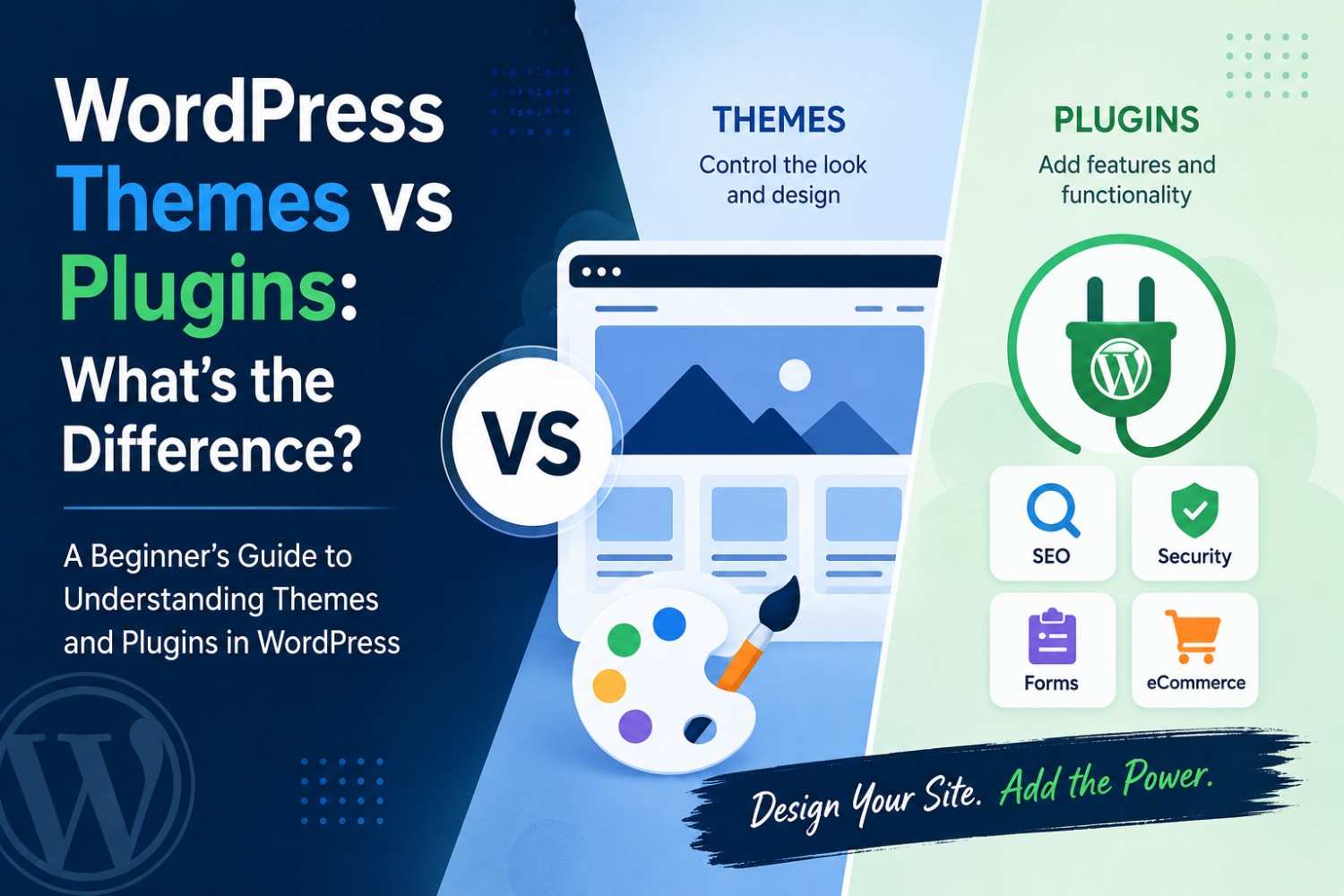
So if you’re brand new to WordPress, you’ve probably seen the words themes and plugins pop up, kinda everywhere. Even if they’re both needed for building your site, they don’t do the same job. Basically a theme controls how your WordPress website looks, while a plugin adds extra stuff like features, tools, and functionality. Once you understand that split you can customize without really messing up performance, or at least not as much as you might think. Anyway this guide will explain what themes and plugins are, how they work together , and when you should use each one.
What Is a WordPress Theme?
A WordPress theme decides the overall appearance of your website, which is a big deal. It handles the structure like layout, colors, typography, and those navigation menus , plus headers, footers, and most of the design vibe.
You can think of it like the visual persona of your site. Whether you’re building a blog, a portfolio, a business page, or even an online shop, the theme shapes how visitors actually experience your content.
A Theme Usually Controls:
* Page layout
* Header and footer areas
* Fonts and colors
* Menu navigation
* Blog and page templates
* Mobile adjustments
Popular Themes: Astra, GeneratePress, Kadence, OceanWP, and Twenty Twenty-Six.
What Is a WordPress Plugin?
A WordPress plugin brings added functionality, while leaving the design mostly alone. Plugins let you expand WordPress when you need extra capabilities , without you having to change the whole look.
Plugins Can Add:
* Contact forms
* SEO assistance
* Website protection
* Image compression or optimization
* Social sharing buttons
* Online storefronts
* Member areas
* Website backups
Popular Plugins: WooCommerce, Rank Math, Yoast SEO, WPForms, Elementor, and Wordfence.
Theme vs Plugin: Key Differences
| Feature | Theme | Plugin |
|---|---|---|
| Purpose | Controls design | Adds functionality |
| Layout Changes | Yes | Usually No |
| Active at Once | One | Multiple |
| Switch Anytime | Yes | Yes |
| Appearance | Main focus | Limited |
| Features | Basic | Extensive |
In other words, like it’s easier:
* Theme = How your website looks
* Plugin = What your website can do
Real-World Example
Imagine you’re building an online clothing store.
The Theme Deals With:
* Homepage layout
* Product page structure
* Colors and font styles
* Navigation menu design
Plugins Usually Handle:
* Shopping cart setup
* Secure payments
* Product search features
* Customer reviews
* Search engine optimization
* Email campaigns
* Security layers
So, the theme creates the look, while plugins bring the functional tools behind it.
How Themes and Plugins Work Together
Themes and plugins aren’t really enemies, they work together. For instance you could install the Astra theme for a clean, quick style and pair it with:
* WooCommerce for eCommerce
* Rank Math for SEO
* WPForms for contact forms
* LiteSpeed Cache for speed boosting
* UpdraftPlus for backups
That kind of mix helps you launch a site that looks professional and also has real power under the hood.
WordPress Folder Structure
WordPress stores themes and plugins in separate folders. So they stay organized.
wp-content/
├── themes/
│ ├── astra/
│ └── twentytwentysix/
└── plugins/
├── woocommerce/
├── wordpress-seo/
└── wpforms/
This separation means you can swap themes without deleting what your plugins are doing.
When Should You Change Your Theme?
You may want to install a new theme if you’re trying to:
* Refresh your site design
* Improve how it looks on phones
* Increase loading speed
* Rebrand or adjust your business style
* Use a different layout approach
Most times changing your theme won’t wipe your posts or installed plugins. Still, theme-specific settings might need a little reconfiguration.
When Should You Install a Plugin?
Install a plugin when you need a new capability, for example:
* Contact forms
* SEO enhancements
* Website backups
* Spam filtering
* Analytics tracking
* Online store features
* Membership functionality
Also, pick plugins that are updated often, have good reviews, and match your WordPress version.
Common Beginner Mistakes
Installing Too Many Plugins
More plugins isn’t always better. Extra or useless plugins can slow down your website. So only install what actually adds value.
Choosing a Theme Just for Looks
A good-looking theme isn’t automatically the best option. You should still care about speed, mobile responsiveness, consistent updates, and support quality.
Ignoring Updates
When you update themes and plugins, you get better security, better compatibility, and better performance in general.
Keep your WordPress website healthier with these ideas:
* Choose one lightweight, responsive theme.
* Install only essential plugins.
* Delete inactive themes and unused plugins.
* Keep everything updated.
* Back up your website before big edits.
* Test new plugins on a staging site when you can.
Themes and plugins are both important in WordPress, but each one plays a different role. A theme controls your site’s appearance, while plugins add the features that make your website more capable. If you go with a fast, well-built theme and use only trusted plugins , you’ll usually get better speed, stronger security, and a smoother user experience.
Want to build a better WordPress site? Start with a lightweight theme, install only the plugins you truly need, and keep everything up to date. If you follow these steps, you’ll end up with a more professional, secure, high-performing website that can grow along with your business.