

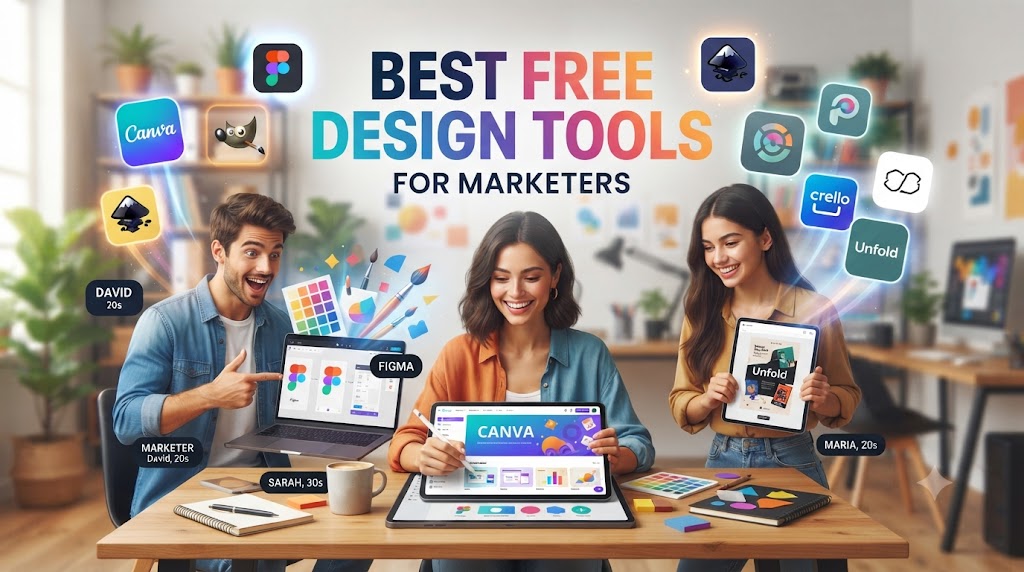
Excellent marketing goes beyond coming up with creative copy and paying for advertising; it is about catching people’s attention. No matter whether you are working on social media images, banner images for your blog posts, presentations, e-mail marketing campaigns or infographic, good design will enable you to highlight your message.
However, finding money for hiring a professional designer for all your graphic projects and paying a lot of money for expensive design software may be problematic for most start-ups, freelancers and small businesses.
Luckily, there are amazing free design tools available in 2026 which will allow you to design professional quality graphics effortlessly.
In this guide, you will learn about the best free design tools for marketers, what they are good at, their limitations and how to choose one that will suit your marketing needs.
Why Every Marketer Needs Design Tools
Visual content has become a core part of digital marketing.
Whether you’re publishing a blog post, launching an advertising campaign, or promoting a new product, people usually notice the design before they read the text.
Good design helps you:
- Increase social media engagement
- Improve brand recognition
- Boost website conversions
- Create professional presentations
- Build trust with customers
The good news is that professional-quality graphics no longer require expensive software or years of design experience.
What Makes a Great Free Design Tool?
Not every free tool offers the same value.
When evaluating design software, marketers should look for:
- Easy-to-use interface
- High-quality templates
- Collaboration features
- Brand customization
- Export options
- Performance and reliability
A great tool should help you work faster—not create more frustration.
1. Canva – Best Overall Free Design Tool
Canva has become the first choice for marketers worldwide.
Its drag-and-drop editor makes designing incredibly simple, even for beginners.
Best For
- Social media posts
- Blog graphics
- Presentations
- Flyers
- Business cards
- Marketing materials
Why Marketers Love Canva
One reason Canva remains so popular is the enormous template library. Instead of designing from scratch, you simply choose a template and customize it.
This dramatically reduces the time required to create professional graphics.
Free Features
- Thousands of templates
- Icons and illustrations
- Basic photo editing
- Brand colors
- Collaboration
- Magic Resize (limited)
Limitation
Some premium templates and stock photos require a paid subscription.
2. Figma – Best for UI and Collaborative Design
Originally created for interface designers, Figma has become valuable for marketers as well.
Marketing teams frequently use it for:
- Landing page mockups
- Wireframes
- Marketing campaigns
- Website planning
- Team collaboration
Unlike traditional design software, multiple people can edit the same design simultaneously.
This makes collaboration significantly easier.
3. Adobe Express – Best for Quick Marketing Graphics
Adobe Express combines Adobe’s creative experience with beginner-friendly editing.
It’s especially useful when creating:
- Instagram posts
- Facebook ads
- Stories
- Promotional banners
- Event graphics
Marketers who already use Adobe products often appreciate how easily everything connects together.
4. VistaCreate – Great Canva Alternative
VistaCreate offers many features similar to Canva while providing its own collection of templates and animations.
Popular Uses
- Animated advertisements
- Social media graphics
- Posters
- Marketing campaigns
If you’re looking for fresh template styles, VistaCreate is worth exploring.
5. Photopea – Free Photoshop Alternative
Sometimes marketers need more advanced editing than drag-and-drop tools allow.
That’s where Photopea becomes useful.
Unlike many browser-based editors, Photopea supports:
- PSD files
- Layer editing
- Smart objects
- Professional photo editing
For marketers who occasionally edit product photos or website banners, Photopea provides impressive capabilities without requiring Photoshop.
6. Remove.bg – Instantly Remove Backgrounds
Product photography often requires transparent backgrounds.
Instead of spending hours manually cutting images, Remove.bg automatically removes backgrounds in seconds.
This is particularly useful for:
- Product listings
- Online stores
- Marketing banners
- Social media graphics
7. Unsplash – High-Quality Free Images
Every marketing campaign needs quality photography.
Unsplash provides thousands of free professional photos suitable for:
- Websites
- Blogs
- Landing pages
- Advertisements
- Email campaigns
Instead of relying on generic stock photography, marketers can choose authentic-looking images.
8. Coolors – Create Professional Color Palettes
Choosing consistent colors strengthens branding.
Coolors allows marketers to generate beautiful color palettes with one click.
This helps maintain visual consistency across:
- Websites
- Logos
- Social media
- Advertising materials
9. Google Fonts – Improve Typography
Typography is often overlooked.
Using attractive, readable fonts instantly improves design quality.
Google Fonts offers hundreds of free fonts suitable for:
- Websites
- Blog graphics
- Presentations
- Branding
Good typography makes content easier to read and more professional.
Example: Simple Marketing Banner HTML
Understanding basic structure helps marketers communicate better with designers and developers.
<section class="hero-banner">
    <h1>Grow Your Business Online</h1>
    <p>Create better marketing campaigns with stunning visuals.</p>
    <button>Get Started</button>
</section>
Even if you don’t code regularly, recognizing common website elements makes collaboration much easier.
Building a Complete Marketing Workflow
Many successful marketers don’t rely on a single design tool.
Instead, they combine several tools together.
Example workflow:
- Canva → Social graphics
- Unsplash → Images
- Remove.bg → Product photos
- Coolors → Brand colors
- Figma → Landing page planning
- Google Fonts → Typography
Each tool solves a different problem.
Common Design Mistakes Marketers Should Avoid
Using Too Many Fonts
Stick with two or three fonts throughout your marketing materials.
Consistency strengthens your brand.
Ignoring White Space
Crowded designs overwhelm readers.
Empty space helps important elements stand out.
Poor Color Contrast
Text should always remain easy to read.
Avoid light text on bright backgrounds.
Overusing Animations
Animations should support the message—not distract from it.
Simple motion often performs better than excessive effects.
Using Low-Quality Images
Blurry graphics immediately reduce trust.
Always use high-resolution images whenever possible.
Design Tips That Improve Marketing Results
Good marketing design is usually simple.
Instead of adding more elements, ask yourself:
- Is this necessary?
- Does it improve readability?
- Does it support my message?
Great design often removes unnecessary distractions rather than adding new ones.
Remember that users rarely spend more than a few seconds deciding whether to continue reading.
A clean, organized layout keeps visitors engaged longer.
Which Free Design Tool Should You Choose?
If you’re completely new to design:
Start with Canva.
If you build websites or collaborate with developers:
Use Figma.
If you need advanced image editing:
Choose Photopea.
If you frequently edit product photos:
Use Remove.bg.
If you need beautiful photography:
Browse Unsplash.
The best tool depends on your daily workflow—not simply the most popular option.
Frequently Asked Questions
Are free design tools good enough for professional marketing?
Yes. Many businesses use free design tools for social media, blogs, presentations, and digital marketing campaigns.
Which free design tool is easiest for beginners?
Canva remains one of the easiest tools because of its drag-and-drop interface and ready-made templates.
Can I create branding materials using free tools?
Absolutely. Logos, presentations, banners, social media graphics, and marketing assets can all be created using free software.
Is Photoshop still necessary?
Not always.
Many marketers only need lightweight editing, which modern free tools now handle very well.
Summary
Professional marketing no longer requires expensive design software.
Today’s free tools allow businesses of every size to create attractive graphics, improve branding, and publish visual content consistently.
Key Takeaways
- Canva is ideal for everyday marketing graphics.
- Figma is excellent for collaboration and website planning.
- Adobe Express is perfect for quick promotional content.
- Photopea offers advanced editing without a subscription.
- Unsplash and Remove.bg help create polished visual assets.
Rather than downloading every available tool, start with one or two that fit your workflow. As your marketing needs grow, you can gradually expand your toolkit.
Ready to Improve Your Marketing Designs?
Choose one free design tool from this guide and spend an hour exploring its features. Create a social media graphic, redesign a blog banner, or build a simple marketing flyer.
The more consistently you practice, the faster you’ll develop an eye for effective design.