Introduction
Modern websites demand speed, flexibility, and scalability — and traditional WordPress setups often fall short when it comes to performance and customization.
That’s where Headless WordPress with Next.js comes in.
In this guide, you’ll learn:
- What Headless WordPress is
- Why developers are switching to it
- How to build your own setup step-by-step
By the end, you’ll have a clear roadmap to create a high-performance, future-ready website.
What is Headless WordPress?
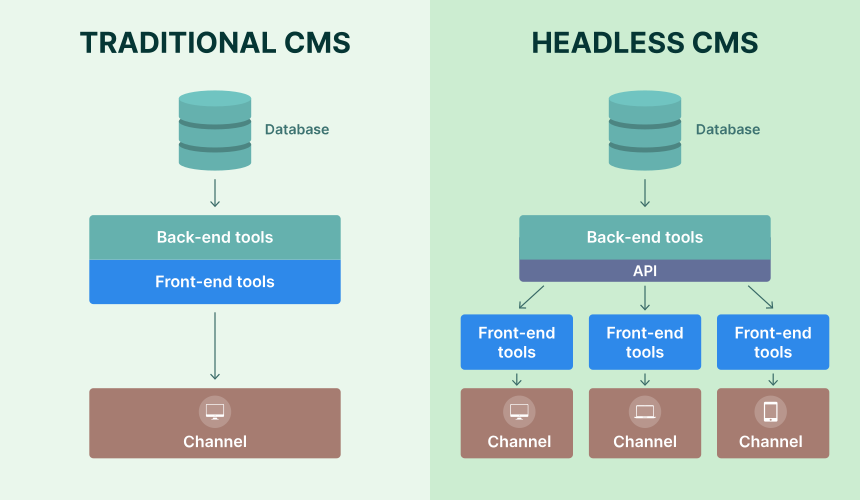
Headless WordPress is a decoupled architecture where:
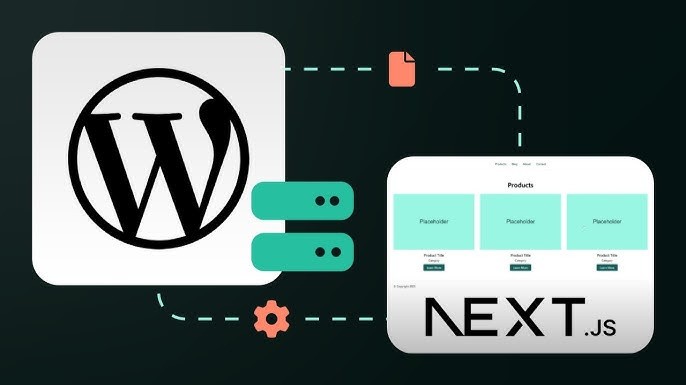
- WordPress is used only as a content management system (CMS)
- The frontend is built using frameworks like Next.js
Instead of using WordPress themes, your content is delivered via:
- REST API
- GraphQL
Think of it like this:
WordPress = Brain (Content)
Next.js = Face (Frontend UI)
Why Use Headless WordPress?
Key Benefits
- Faster Websites
Next.js enables static generation and server-side rendering - Unlimited Design Flexibility
Build custom UI without theme restrictions - Better Security
Your WordPress backend is hidden - Multi-Platform Ready
Use content for websites, apps, dashboards - Improved SEO
Faster load times = better rankings
Architecture Overview
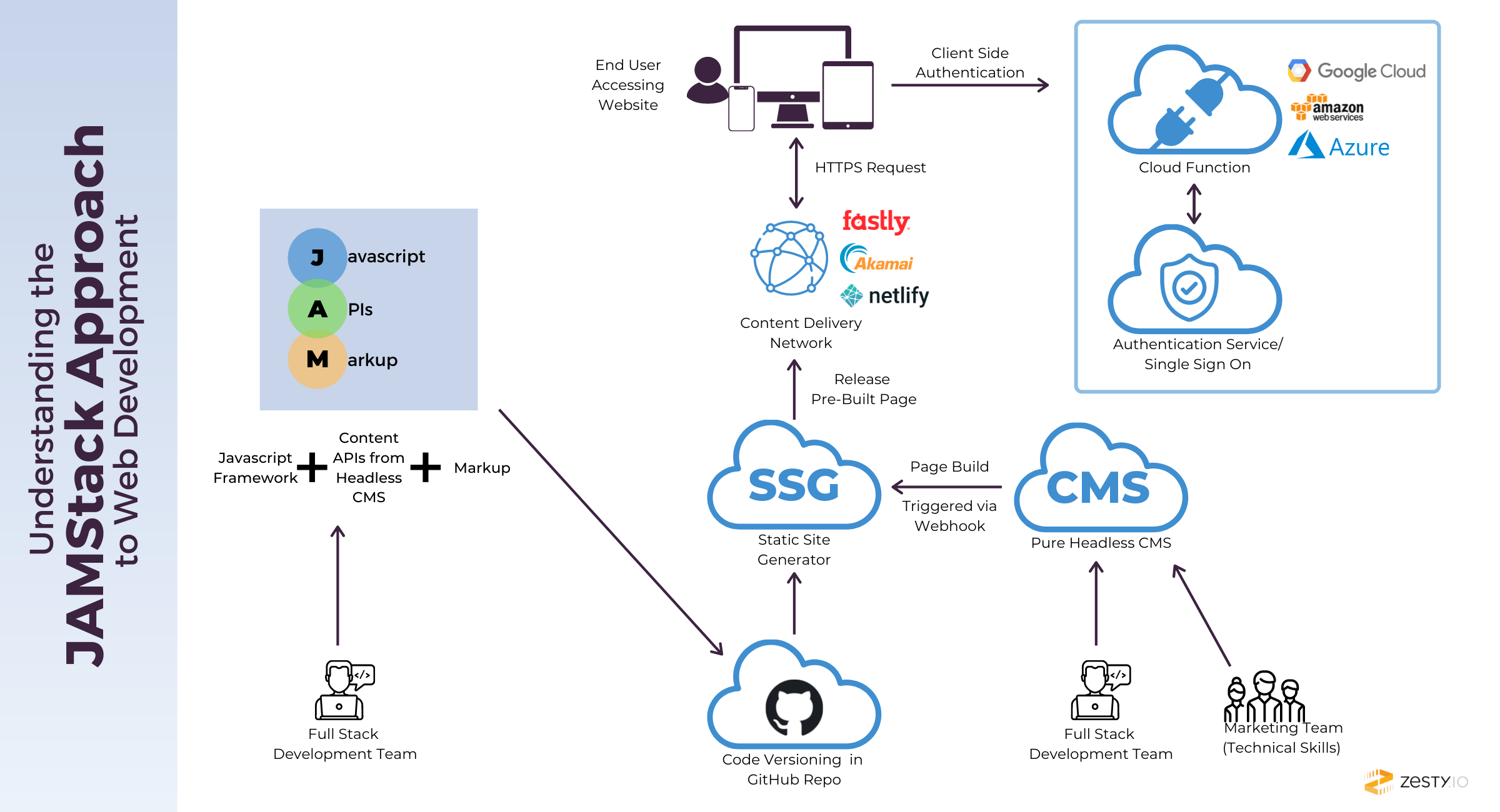
Here’s how it works:
- WordPress stores content
- API delivers content (REST/GraphQL)
- Next.js fetches and displays it
- Frontend is deployed on platforms like Vercel
Step-by-Step: Build Headless WordPress with Next.js
Step 1: Setup WordPress Backend
- Install WordPress on hosting or local server
- Add posts/pages
- Access API
Example:
Step 2: Create Next.js Project
cd my-headless-site
npm run dev
Step 3: Fetch Data from WordPress
const res = await fetch(‘https://yourdomain.com/wp-json/wp/v2/posts’);
const posts = await res.json();return {
props: { posts },
};
}
Step 4: Display Data on Frontend
return (
<div>
<h1>Blog Posts</h1>
{posts.map(post => (
<div key={post.id}>
<h2 dangerouslySetInnerHTML={{ __html: post.title.rendered }} />
</div>
))}
</div>
);
}
Step 5: Create Dynamic Post Pages
- Create file:
pages/posts/[slug].js - Use:
getStaticPaths()getStaticProps()
This enables SEO-friendly URLs like:
/posts/my-first-blog
Step 6: Deploy Your Website
- Frontend → Vercel / Netlify
- Backend → WordPress hosting
Example Use Case
Imagine you’re building a news app (like Way2News):
- WordPress → Manage news content
- Next.js → Display fast-loading news UI
- Same content → Website + Mobile app
This is exactly where Headless WordPress shines.
Challenges You Should Know
- Requires knowledge of React / Next.js
- No drag-and-drop themes
- More development time
- SEO setup must be handled manually
Conclusion
Headless WordPress with Next.js is a modern approach to building websites that are:
- Fast
- Secure
- Fully customizable
If you’re building scalable projects like:
- Blogs
- SaaS platforms
- News apps
- eCommerce frontends