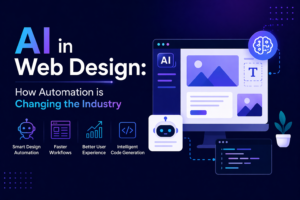
The method of website creation is undergoing rapid transformation. You do not need coding skills anymore because you can create beautiful and complete websites through current technology. No-code web design tools enable all users including entrepreneurs and designers to design and publish websites within a short time.
The blog explains no-code tools their impact on development and their future tools for 2026 and provides a starting guide. The guide helps you understand no-code platform capabilities from beginning to advanced development skills.
What Are No-Code Web Design Tools?
No-code tools allow users to create websites and applications without any requirement for coding. Users can construct websites through these methods:
- Drag-and-drop interfaces
- Visual editors
- Pre-built components
The major platforms which include Webflow, Wix, and Bubble lead the current revolution.
Users design through visual methods and the tool creates code automatically.
Why No-Code Tools Are Gaining Popularity
1. Faster Development
Traditional development can take weeks or months. The no-code tools decrease this time requirement from weeks to only hours or days.
Users can create landing pages and portfolios and develop complete SaaS products within a short time.
2. Cost-Effective
Hiring developers can be expensive. The no-code tools:
- Lower development expenses
- Reduce ongoing maintenance costs
The solution works best for startups and small businesses.
3. Accessibility for Non-Developers
Programming skills are not required for users.
- Designers can build websites
- Business owners can manage content
- Marketers can create landing pages
This allows everybody to build websites through web development.
4. Rapid Prototyping
No-code tools serve as an excellent platform to validate new concepts.
The team can produce Minimum Viable Products (MVPs) and validate their business ideas.
Top No-Code Web Design Tools in 2026
1. Webflow
Best for: Designers who want control
Features:
- Advanced layout control
- CMS integration
- Clean code export
2. Wix
Best for: Beginners
Features:
- Drag-and-drop editor
- AI website builder
- Ready-made templates
3. Bubble
Best for: Web applications
Features:
- Backend workflows
- Database management
- API integrations
4. Framer
Best for: Modern UI design
Features:
- Interactive animations
- Real-time preview
- Clean design system
5. Squarespace
Best for: Creatives
Features:
- Elegant templates
- Blogging tools
- E-commerce support
How No-Code Tools Work (Simple Example)
Even though you don’t code the platform generates it automatically in the background.
Example Output:
<button class="primary-btn">Sign Up</button>
You drag a button → Tool generates HTML/CSS automatically.
When Should You Use No-Code?
Use No-Code If:
- You need a quick website
- You’re building an MVP
- You want to save time and cost
- You don’t have coding experience
Avoid No-Code If:
- You need complex backend logic
- You require full customization
- You are building large-scale enterprise apps
Advantages of No-Code Development
- Faster time-to-market
- Lower cost
- Easy updates
- Built-in hosting and security
Limitations to Consider
- Limited customization
- Platform dependency
- Scaling challenges for large apps
Choose wisely based on your project.
No-Code vs Traditional Development
| Feature | No-Code | Traditional |
|---|---|---|
| Speed | Fast | Slower |
| Cost | Low | High |
| Flexibility | Limited | High |
| Learning Curve | Easy | Hard |
Real-World Use Cases
No-code tools are widely used for:
- Startup landing pages
- Portfolio websites
- E-commerce stores
- SaaS MVPs
- Internal tools
Many successful startups begin with no-code.
Best Practices for Using No-Code Tools
- Start with a clear plan
- Use templates wisely
- Keep design simple
- Optimize images
- Test responsiveness
Future of No-Code Development
No-code is evolving rapidly.
Trends:
- AI-powered design tools
- More customization options
- Integration with coding frameworks
The future is no-code + low-code hybrid development.
No-code web design tools are transforming the development process.
Key Takeaways:
- Build websites faster
- Reduce costs
- No coding required
- Ideal for startups and beginners
Ready to get started?
- Choose a tool like Webflow or Wix
- Build your first landing page
- Experiment with layouts and templates