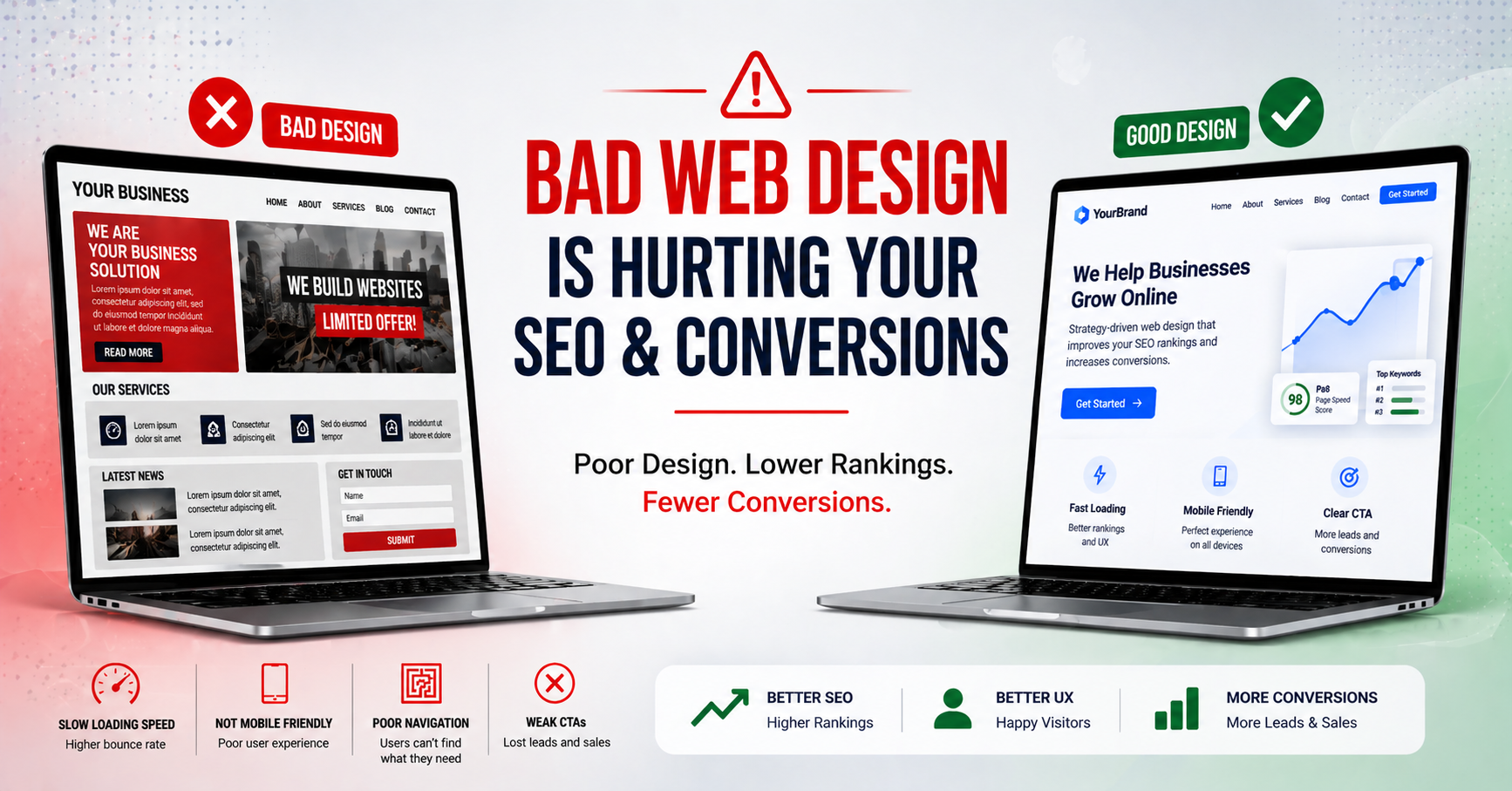
In today’s digital landscape, your website is your top salesperson—working 24/7 to attract visitors, rank on Google, and drive revenue. But if your web design is hurting SEO and conversions, you’re leaving money on the table. Poor web design doesn’t just turn off users; it tanks your search rankings and skyrockets bounce rates. According to Google, over 53% of mobile users abandon sites that take longer than 3 seconds to load.
This isn’t just about aesthetics. SEO-friendly web design directly impacts Core Web Vitals, user experience (UX), and conversion rates. If your site looks outdated, loads slowly, or confuses visitors, expect high abandonment and low leads. In this post, we’ll uncover the top ways bad design sabotages your efforts and share actionable fixes to boost rankings and sales.
Slow Loading Speeds: The Silent SEO Killer
Site speed is a Google ranking factor since 2010, yet many sites still ignore it. Poor web design hurting SEO often stems from bloated images, unoptimized code, and heavy plugins—especially on WordPress sites popular with small businesses.
-
Impact on SEO: Google’s Page Experience update penalizes slow sites. A 1-second delay can drop conversions by 7%, per Amazon studies.
-
Conversion Killer: Users expect instant gratification. If your homepage lags, they bounce—hurting dwell time and signals to search engines.
Fix it now: Use tools like Google PageSpeed Insights. Compress images with TinyPNG, enable browser caching, and switch to a lightweight theme. Aim for under 2.8 seconds load time. For e-commerce or law firm sites, site speed optimization can lift conversions by 20%.
Non-Mobile-Responsive Design: Missing Mobile Traffic
With 60%+ of searches on mobile, a desktop-only design is disastrous. If your site isn’t mobile-responsive design-optimized, Google serves it lower in mobile results, slashing organic traffic.
-
SEO Penalty: Mobile-first indexing means crawlers prioritize responsive sites. Non-adaptive layouts fail mobile usability tests.
-
Conversion Drop: Pinchy text and oversized buttons frustrate users. HubSpot reports mobile sites convert 11.7% higher when responsive.
Test with Google’s Mobile-Friendly Tool. Adopt fluid grids and CSS media queries. For local businesses in Toronto or Ontario, where mobile searches for “security services near me” dominate, this is non-negotiable.
Confusing Navigation and Poor UX: Driving Users Away
Cluttered menus and buried CTAs scream amateur. UX design for conversions prioritizes intuitive flow, yet many sites overload with pop-ups and irrelevant links.
-
SEO Risk: High bounce rates (over 70%) signal irrelevance to Google, dropping rankings for keywords like “best web design for SEO.”
-
Lost Sales: Users spend 10-20 seconds deciding to stay. Poor navigation means they can’t find services, contact forms, or pricing—zero conversions.
Streamline with a sticky header, mega menus, and breadcrumb trails. Place CTAs above the fold. A/B test with Hotjar to see where users drop off.
Low Contrast and Readability Issues: Accessibility Fail
Tiny fonts, clashing colors, and no alt text? Your design alienates users and bots alike. Poor web design conversions spike when text blends into backgrounds.
-
SEO Risk : Google favors accessible sites. Missing alt text ignores image search traffic.
-
User Frustration: 70% of users read on phones in low light. Unreadable content kills trust and engagement.
Follow WCAG guidelines: 4.5:1 contrast ratios, 16px+ fonts, and descriptive alt tags. Tools like WAVE check compliance. Bonus: Accessibility boosts SEO for voice search queries.
No Clear Visual Hierarchy: Overwhelming Visitors
A wall of text or mismatched fonts drowns your message. Effective SEO-friendly web design uses hierarchy—bold H1s, subheads, and whitespace—to guide eyes.
-
SEO Boost: Structured content with H2/H3 tags helps crawlers understand topics, improving topical authority.
-
Conversion Edge: Clear paths to “Book Now” buttons increase clicks by 30%, per Unbounce.
Use the Z-pattern layout: Hero image, headline, CTA, then supporting content. Tools like Canva or Figma make this easy.
Tiny Buttons and Forms: Friction in the Funnel
Micro-interactions matter. Buttons too small for thumbs or forms with 20 fields? Expect 50%+ abandonment.
-
SEO Risk : Poor UX inflates pogo-sticking (users return to SERPs), hurting rankings.
-
Direct Revenue Loss: Optimizing forms alone can lift conversions 20-50%.
Enlarge touch targets to 48x48px. Use progress bars for multi-step forms. Integrate trust signals like testimonials.
Overuse of Pop-ups and Ads: Annoying Interruptions
Aggressive pop-ups block content, triggering ad blockers and bad reviews. Google devalues intrusive interstitials.
-
SEO Risk: Core Web Vitals’ visual stability metric flags layout shifts from pop-ups.
-
Conversion Backfire: 70% of users find them intrusive, per Target Marketing.
Time pop-ups for exit-intent only. Prioritize value over interruptions.
Lack of Trust Signals: Why Visitors Don’t Convert
No HTTPS, missing reviews, or generic stock photos erode credibility. Secure, branded designs build trust fast.
-
SEO Rirk: HTTPS is a ranking signal; mixed content warnings scare users.
-
Conversion Magic: Sites with reviews convert 270% better, says Yotpo.
Add SSL, real testimonials, and about-us pages with team photos.
Actionable Steps to Fix Your Web Design Today
Ready to stop your web design from hurting SEO and conversions? Follow this checklist:
-
Run a PageSpeed audit and fix top issues.
-
Ensure 100% mobile responsiveness.
-
Audit UX with heatmaps (e.g., Microsoft Clarity—free).
-
Optimize for accessibility and hierarchy.
-
Test CTAs and forms rigorously.
-
Add trust elements and monitor Core Web Vitals in Search Console.
Track progress with Google Analytics 4. Expect 15-30% lifts in traffic and conversions within months.
Your web design isn’t just visual—it’s your SEO engine and sales machine. Don’t let outdated elements sabotage your growth. Audit your site today and implement these changes for SEO-friendly web design that converts.
Ready to transform your site? Contact our Toronto-based team for a free SEO web design audit.