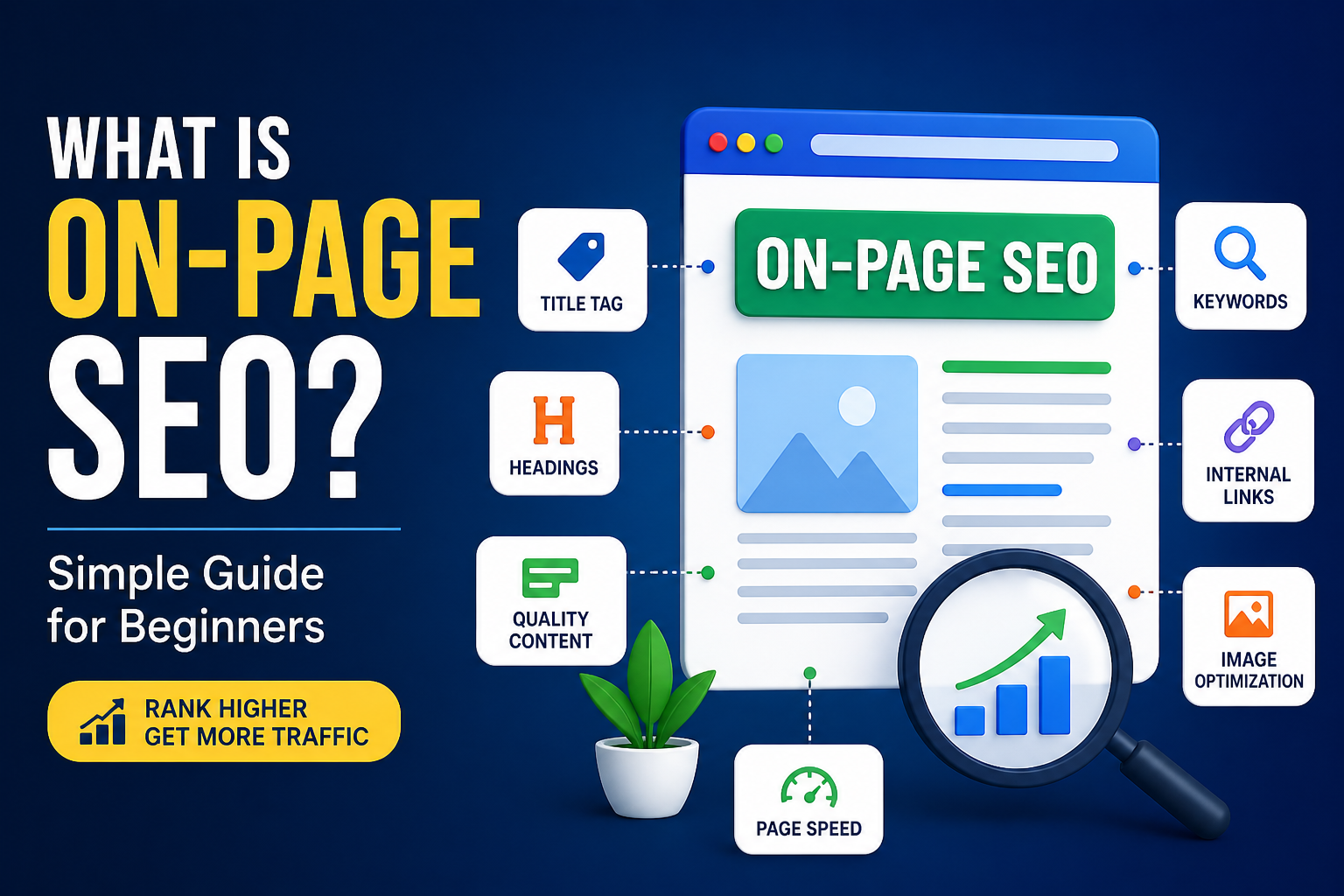
The process of gaining higher positions on Google search results requires you to possess knowledge about on-page SEO. You have full control over this element which represents a crucial aspect of search engine optimization.
The beginner-friendly guide teaches readers about on-page SEO, its importance as an optimization technique, and the sequential process to enhance their web pages.
What Is On-Page SEO?
The process of on-page SEO involves web page optimization to achieve better search engine visibility and attract specific target audience members. The element includes all elements which you can manage by yourself through your website, including content creation, heading installation, keyword selection, image implementation, and internal link building.
The process of on-page SEO aims to make content easily understandable by users and search engines while off-page SEO focuses on external elements like backlinks.
In simple terms:
The process of on-page SEO involves optimizing your page content and structure to achieve better search engine rankings.
Why Is On-Page SEO Important?
Google and other search engines strive to provide users with the most accurate results.
The on-page SEO process helps search engines identify:
The main topic of your page
The usefulness of your content
The match between your content and user intent
The main advantages include:
The system enhances search engine results
The system boosts natural website visitor numbers
The system creates a better experience for users
The system increases the percentage of website visitors who complete desired actions
The absence of effective on-page SEO techniques will prevent your valuable content from achieving search engine visibility.
Key Elements of On-Page SEO
The most crucial elements of the system require explanation.
1. Keyword Optimization
Keywords are the terms people search for.
Example:
“on-page SEO guide”
The primary keyword should appear in these locations according to best practices:
Title
First paragraph
Headings
Keyword stuffing must be avoided
The system requires users to implement related keywords throughout their content.
2. Title Tags (SEO Title)
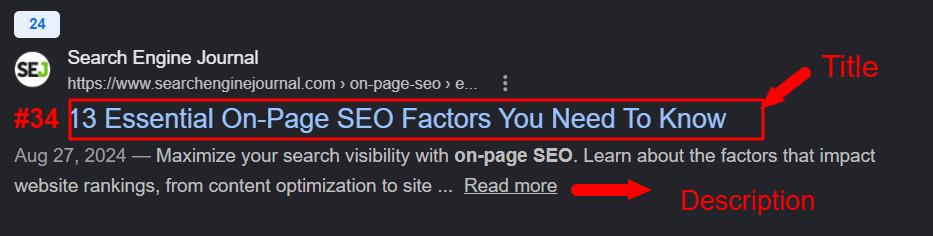
Your title tag appears as the main element of your Google search result entry.
Tips:
Keep it under 60 characters
Include your main keyword
Make it engaging
Example:
“What Is On-Page SEO? Beginner’s Guide to Ranking Higher”
3. Meta Description
The description provides a brief overview which appears beneath your title in search results.
Tips:
Keep it 150–160 characters
Add keywords naturally
Include a call-to-action
4. Headings (H1, H2, H3)
Headings function as content organizers which help readers understand the material better.
Structure:
H1 → main title (only one)
H2 → main sections
H3 → sub-sections
The system helps users and search engines to navigate content through its scanning method.
5. High-Quality Content
Content stands as the most vital component.
Good content should:
Answer user questions
Be easy to read
Provide real value
The system requires users to prioritize problem resolution over keyword inclusion.
6. URL Structure
A clean URL improves both SEO performance and customer satisfaction.

Example:
Good:
The URL structure uses the format /on-page-seo-guide
Bad:
The URL structure uses the format /page?id=123
7. Internal Linking
Internal links serve as connections between different pages on your website.
Benefits:
The system helps users navigate the platform
The system creates better SEO structures
The system enables websites to distribute link value across their multiple pages.
The system requires users to establish a connection between their blog content and their service pages.
8. Image Optimization
Images make your content engaging, but they must be optimized.
The best practices include:
Use file names which describe the content
Add ALT text
Compress images for faster loading
The ALT text for the example reads as follows:
The text describes an on-page SEO checklist infographic.
9. Mobile-Friendliness
Most users browse on mobile devices.
The system requires your website to adapt its structure through responsive design while enabling users to read text and click buttons with adequate size.
10. Page Speed
Pages that load quickly achieve better rankings and experience lower bounce rates.
The system improves performance through these actions:
The system uses image compression
The system employs efficient hosting
The system reduces the usage of extra scripts.
Step-by-Step On-Page SEO Checklist
The following workflow provides users with a straightforward process to execute.
Choose a target keyword
Write helpful, user-focused content
Add the keyword to your title and headers
Meta description optimization requires implementation
The system requires users to create internal links.
The system needs users to upload properly optimized pictures.
The system requires users to enhance their page loading performance.
The system requires users to optimize their website for mobile device access.
Common On-Page SEO Mistakes
The following errors should not be made by novice users.
Keyword stuffing
Duplicate content
Ignoring meta tags
Poor content structure
Slow website speed