

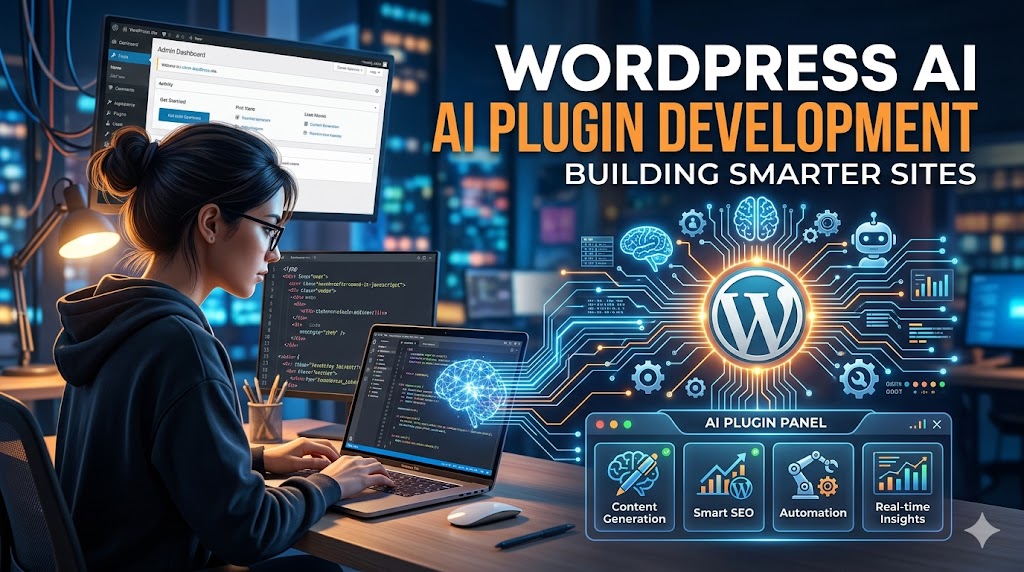
Artificial Intelligence is no longer a far-fetched idea limited only to big tech firms. These days, even small-scale enterprises embed AI features in their websites in order to automate boring activities, tailor user experience, provide enhanced customer service, and boost conversions. With WordPress accounting for a major part of the internet landscape, intelligent WordPress plugin development became one of the most popular trends.
Intelligent WordPress plugin development allows enhancing the functionality of websites through implementing AI solutions such as chatbots, generators of various content types, recommendation systems, and predictive analysis systems. All these AI plugins will make your website stand out from the crowd.
The current article discusses different aspects related to WordPress AI plugin development including the used technologies, major development stages, examples of intelligent WordPress plugins, as well as tips on how to develop scalable and effective AI plugins for websites built with WordPress.
What Is WordPress AI Plugin Development?
The development of WordPress AI plugins entails developing plugins that make use of artificial intelligence and machine learning capabilities to execute functions normally carried out by humans.
In contrast to normal plugins, which rely on predetermined parameters, AI plugins have the capability to analyze data, spot trends, learn from user activities, and produce intelligent output.
Some examples are:
- Chatbots powered by artificial intelligence for customer service
- Content generators
- SEO optimizer bots
- Systems that detect images
- Product recommendations based on preferences
- Voice search technology
- Email reply automation bots
- Predicative analytics platforms
Such plugins incorporate AI technologies via APIs, machine learning algorithms, or cloud-based AI technology.
Why AI Plugins Are Transforming WordPress Websites
Website owners are constantly looking for ways to improve efficiency and user engagement. AI-powered plugins provide several advantages that traditional plugins cannot offer.
Enhanced User Experience
AI can analyze visitor behavior and deliver personalized content recommendations, product suggestions, and tailored user journeys.
Improved Customer Support
AI chatbots can handle customer inquiries 24/7, reducing response times and improving customer satisfaction.
Faster Content Creation
Content generation tools help marketers create blog posts, meta descriptions, product descriptions, and social media content more efficiently.
Better SEO Performance
AI can analyze search trends, optimize content structure, suggest keywords, and improve overall search visibility.
Automation of Repetitive Tasks
Tasks such as data categorization, email responses, spam detection, and lead qualification can be automated through AI-powered systems.
Key Components of a WordPress AI Plugin
Before building an AI-powered plugin, it is important to understand its core architecture.
1. WordPress Plugin Framework
Every AI plugin begins with the standard WordPress plugin structure.
A typical plugin contains:
- Main plugin file
- Admin dashboard interface
- Database integration
- Settings management
- API communication layer
2. AI Engine Integration
The AI engine serves as the intelligence layer of the plugin.
Popular AI integrations include:
- OpenAI API
- Google AI Services
- Anthropic APIs
- Azure AI Services
- Custom Machine Learning Models
3. Data Processing Layer
This layer collects, processes, and prepares website data before sending it to AI models.
Examples include:
- User queries
- Product data
- Content metadata
- Customer interactions
4. Front-End Interface
Users interact with the AI functionality through:
- Chat windows
- Recommendation widgets
- Content generators
- Search enhancements
Step-by-Step Guide to Building a WordPress AI Plugin
Step 1: Define the Plugin Objective
Start by identifying the problem your AI plugin will solve.
Ask questions such as:
- What task should be automated?
- Who will use the plugin?
- What business value will it provide?
- What data will the AI process?
For example, you may want to build an AI chatbot that answers customer questions automatically.
A clear objective prevents feature creep and simplifies development.
Step 2: Set Up the Plugin Structure
Create a basic WordPress plugin structure.
Example:
<?php
/*
Plugin Name: Smart AI Assistant
Description: AI-powered assistant for WordPress websites.
Version: 1.0
Author: Your Company
*/

if (!defined('ABSPATH')) {
    exit;
}
This file serves as the entry point for your plugin.
Next, create folders for:
smart-ai-assistant/
│
├── admin/
├── assets/
├── includes/
├── templates/
└── smart-ai-assistant.php
Maintaining a clean architecture improves scalability and future maintenance.
Step 3: Connect to an AI API
Most WordPress AI plugins communicate with external AI services.
Example API request:
$response = wp_remote_post(
    'https://api.example.com/chat',
    array(
        'headers' => array(
            'Authorization' => 'Bearer YOUR_API_KEY',
            'Content-Type' => 'application/json'
        ),
        'body' => json_encode(array(
            'message' => $user_input
        ))
    )
);
This request sends user data to an AI service and retrieves a response.
Always store API keys securely using WordPress settings or environment variables.
Step 4: Build an Admin Dashboard
Website administrators need a simple interface to configure AI settings.
Recommended options include:
- API key management
- Prompt customization
- Usage analytics
- Feature toggles
- User access controls
A well-designed dashboard improves usability and reduces support requests.
Step 5: Create Front-End Features
Once AI functionality is operational, expose it to website visitors.
Examples include:
AI Chatbot
Allow users to ask questions directly on the website.
AI Content Generator
Help content creators generate blog outlines, FAQs, and product descriptions.
Smart Search
Improve search results using natural language understanding.
Recommendation Engine
Suggest products, articles, or services based on visitor behavior.
Step 6: Test and Optimize Performance
AI integrations can introduce latency if not properly optimized.
Key optimization strategies include:
- Caching AI responses
- Using asynchronous requests
- Minimizing API calls
- Compressing data payloads
- Implementing rate limits
Performance optimization ensures a smooth user experience even during peak traffic periods.
Example Use Cases of WordPress AI Plugins
AI-Powered Customer Support
A chatbot can answer frequently asked questions instantly.
Benefits include:
- Reduced support workload
- Faster customer response times
- Improved user satisfaction
Automated Content Creation
Content marketers can generate:
- Blog outlines
- Article drafts
- Product descriptions
- Meta titles
- Meta descriptions
This significantly speeds up content production workflows.
Personalized E-Commerce Recommendations
Online stores can analyze visitor behavior and recommend relevant products.
Benefits include:
- Higher average order value
- Increased conversion rates
- Better customer engagement
Intelligent SEO Assistant
AI can help identify:
- Keyword opportunities
- Content gaps
- Internal linking suggestions
- Search intent optimization
This improves overall organic search performance.
Screenshot Ideas for Your Blog
To make this article more engaging, include screenshots such as:
Screenshot 1: WordPress Plugin Dashboard
Show:
- API configuration settings
- AI model selection
- Usage statistics
Screenshot 2: AI Chatbot Interface
Display:
- Visitor question
- AI-generated response
- Chat widget customization options
Screenshot 3: Content Generation Tool
Show:
- Prompt input field
- Generated article output
- Content editing options
Visual examples improve reader understanding and increase time spent on the page.
Best Practices for WordPress AI Plugin Development
Prioritize Security
AI plugins often process user data.
Always:
- Sanitize inputs
- Validate requests
- Encrypt sensitive information
- Follow WordPress coding standards
Focus on Scalability
Your plugin should handle increasing traffic and API usage.
Use:
- Modular architecture
- Efficient database queries
- Caching systems
- Cloud-based AI infrastructure
Maintain Transparency
Inform users when AI-generated content or responses are being used.
Transparency builds trust and helps comply with emerging regulations.
Optimize API Costs
AI requests can become expensive at scale.
Consider:
- Request batching
- Response caching
- Model selection optimization
- Usage monitoring
Continuously Improve Models
Monitor user interactions and gather feedback.
AI systems perform best when regularly refined and updated.
Common Challenges in AI Plugin Development
API Dependency
External AI services may experience downtime or pricing changes.
Solution:
Implement fallback mechanisms and error handling.
Data Privacy Concerns
User information must be handled responsibly.
Solution:
Follow GDPR, CCPA, and relevant privacy regulations.
Performance Bottlenecks
Large AI requests can slow down websites.
Solution:
Use background processing and caching strategies.
Accuracy Issues
AI-generated content may occasionally produce incorrect outputs.
Solution:
Add human review workflows where accuracy is critical.
The Future of WordPress AI Plugin Development
Artificial intelligence is expected to become a standard feature across WordPress websites.
Future developments may include:
- Hyper-personalized user experiences
- Advanced voice interaction
- Real-time predictive analytics
- Autonomous content management
- AI-powered website optimization
Businesses that adopt AI-driven WordPress solutions early will likely gain a competitive advantage through improved efficiency and enhanced customer experiences.
Conclusion
WordPress AI plugin development is reshaping how websites interact with users, manage content, and automate business processes. By combining WordPress’s flexibility with modern artificial intelligence technologies, developers can create powerful solutions that improve engagement, streamline operations, and drive measurable business growth.
Whether you’re building an AI chatbot, an intelligent content generator, a recommendation engine, or an advanced SEO assistant, the key is to start with a clear objective, implement scalable architecture, prioritize security, and continuously optimize performance.
As AI technology continues to evolve, WordPress developers have an incredible opportunity to create smarter websites that deliver more value to businesses and users alike.
Ready to Build a Smarter WordPress Website?
If you’re planning to develop a custom WordPress AI plugin, now is the perfect time to start. Identify a business challenge that can benefit from automation, choose the right AI technology stack, and begin building solutions that enhance user experience and improve operational efficiency.
Need expert guidance on WordPress AI plugin development? Contact our development team today and discover how custom AI-powered WordPress solutions can transform your website into a smarter, more intelligent digital platform.




